Flux.1 Schnell: Fast & Lightweight AI Image Generator
Compact version of FLUX.1 series delivering 4-step generation with 90% visual quality retention of Pro version. Apache 2.0 licensed solution for personal and commercial use.
Key Innovations in Flux.1 Schnell
Ultra-fast generation engine (83% faster than conventional models) with enhanced text comprehension and anatomical precision. Supports multi-format outputs up to 2MP resolution.
A fit athletic woman stands confidently in a sunlit park. She has shoulder-length, wavy brown hair that gently frames her face, accentuating her strong jawline and high cheekbones. Her skin is a warm, sun-kissed tan, showcasing her active lifestyle. She has an oval face with bright green eyes and a determined expression, radiating energy and positivity. Her body type is athletic, with toned arms and legs, reflecting her dedication to fitness. She wears a fitted, light blue tank top that highlights her muscular shoulders and a pair of dark gray casual shorts that fall mid-thigh, allowing for ease of movement. With a slight smile, she is mid-stride, jogging along a winding path, her arms swinging naturally at her sides. The background features lush greenery and scattered wildflowers, enhancing the vibrant atmosphere of a warm, sunny day.
Create an anime-style image of Toru Watanabe from "Norwegian Wood." Capture his essential traits: a young man with tousled black hair, expressive dark eyes, and a slightly melancholic demeanor. He wears a casual, vintage-inspired outfit consisting of a fitted olive-green jacket over a simple white t-shirt, paired with dark jeans and worn brown boots. Accessories include a leather wristband and a small, weathered backpack slung over one shoulder.Depict him with a thoughtful expression, gazing off into the distance, one hand tucked into his pocket while the other lightly holds a paperback book. Set the scene in a serene, autumn park with golden leaves falling around him, evoking a sense of nostalgia. Use a soft, pastel color palette and fluid lines typical of shoujo anime, with a focus on emotional depth and character detail. Incorporate subtle elements like a faint glow around him to suggest introspection, reflecting his inner journey.
Create a dramatic scene set in a dystopian cityscape inspired by Final Fantasy VII, showcasing the brooding figure of Vincent Valentine. He stands atop a crumbling rooftop, silhouetted against a dark, stormy sky filled with swirling clouds and flashes of lightning. Vincent, with his long, flowing black cloak and crimson eyes, exudes an aura of mystery and melancholy. His signature weapon, the Cerberus handgun, gleams ominously in his hand, while the iconic Bugenhagen’s observatory looms in the background, surrounded by ancient ruins. The environment is a mix of high-tech and decay, with neon lights flickering amidst the shadows of dilapidated buildings. The overall mood is intense and foreboding, capturing the essence of a world filled with conflict, secrets, and the struggle between light and darkness.
A stunning view of the Eiffel Tower at dusk, its wrought-iron lattice structure illuminated by soft golden lights, casting intricate shadows on the ground. The iconic silhouette rises against a deepening blue sky, with wisps of clouds reflecting hues of pink and orange. Surrounding the tower, the lush green lawns of Champ de Mars are dotted with picnickers and tourists, their silhouettes adding life to the scene. Nearby, the Seine River glimmers with reflections of the tower and the twinkling city lights. The intricate details of the ironwork are highlighted, showcasing the tower's elegant curves and geometric patterns. Capture this moment in a romantic, soft-focus style, evoking a sense of nostalgia and wonder, emphasizing the Eiffel Tower's timeless allure as a symbol of Parisian culture and history.
Core Advantages of Flux.1 Schnell Model
Industry-leading speed meets human-level text understanding for photo-realistic imagery
Instant Generation
4-step production pipeline with real-time preview (<1.5s latency) Dynamic parameter adjustment during rendering process
Smart Text Interpretation
95% accuracy in processing complex prompts and artistic directions Precise style adaptation and scene composition
Hardware-Friendly Design
Runs smoothly on consumer GPUs (3.2GB VRAM minimum) 83% memory optimization through intelligent resource recycling
Professional-Grade Output
98% accuracy in human anatomy rendering Advanced light/texture simulation with natural depth effects
Breakthrough Technologies in Flux.1 Schnell
1. Step compression technology 2. Adaptive resolution scaling 3. Smart resource management 4. Interactive preview system

Step compression technology
Reduces generation steps from 20+ to 1-4 steps
Smart resource management
Automatic memory optimization during operation
Adaptive resolution scaling
Auto-adjusts image quality based on device capabilities
Interactive preview system
Real-time editing with progressive rendering visualization 5x faster creative iteration through dynamic parameter control

Practical Applications of Flux.1 Schnell
Revolutionizing visual content creation across industries

🎥 Live Content Creation

📱 Mobile-Optimized Creation

🛍️ E-commerce Automation
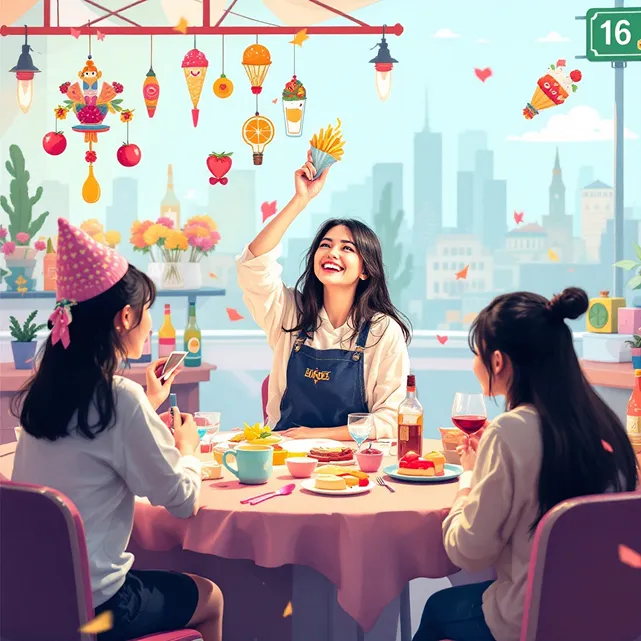
🎓 Educational Visualization
Flux.1 Schnell Workflow Guide
- Step1
1. Activate Quick Mode
Enable accelerated generation in control panel
- Step2
2. Smart Prompt Input
Combine keywords with style tags (emoji supported)
- Step3
3. Real-Time Adjustment
Fine-tune parameters during generation
- Step4
4. Multi-Format Export
Automatic WebP/PNG conversion for different use cases